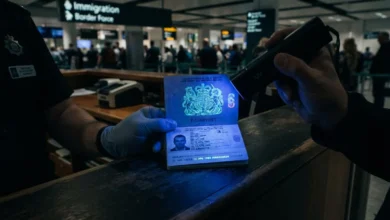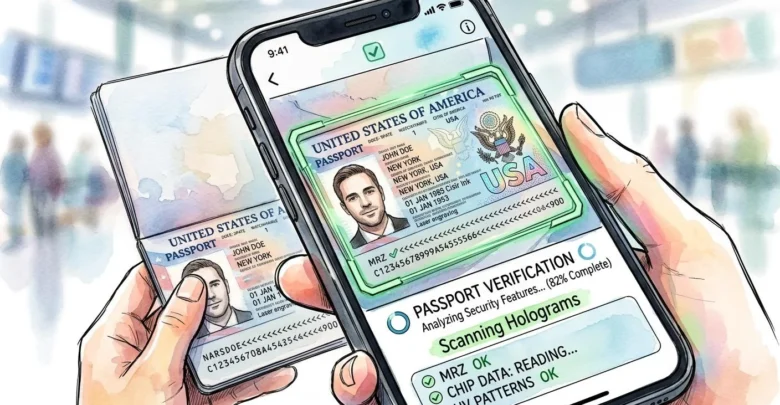
Device compatibility, authentication capabilities and privacy policies help travelers assess applications before providing sensitive identity information.
Washington, DC, October 19, 2026 — Smartphone passport reader apps can help travelers inspect compatible electronic passport data, but users should carefully evaluate device compatibility, authentication features, data-handling practices, and software credibility before letting any app process highly sensitive identity information.
A polished interface or successful NFC connection does not necessarily mean an application performs meaningful cryptographic authentication, protects personal data appropriately, or supports the passport generation and security protocols used by the traveler’s document.
Confirm That the Phone Supports NFC Passport Reading
The first practical requirement is compatible near-field communication hardware, because an electronic passport chip needs a suitable contactless reader to power it and establish the short-range communication session needed to retrieve electronic data.
Most recent smartphones include NFC capability, but hardware performance, operating-system support, and antenna placement can vary considerably between models, so an application that works reliably on one phone may behave differently on another.
Users should therefore confirm that the application explicitly supports their operating system and device generation, rather than assuming that any phone displaying an NFC symbol can read electronic passports correctly.
The International Civil Aviation Organization’s machine-readable travel document standards define the broader technical framework for interoperable electronic travel documents, describing the structures and security mechanisms compatible applications must understand.
Check Whether the Application Supports the Passport’s Protocols
Electronic passport technology has evolved over several generations, and applications need appropriate protocol support if they are expected to communicate reliably with documents issued under different technical architectures.
An older passport may rely upon Basic Access Control, while newer passports can support Password Authenticated Connection Establishment, Chip Authentication or additional security mechanisms that require more advanced application capabilities.
A program that supports only basic NFC communication may therefore detect a passport but fail to establish the protected electronic session required to retrieve or authenticate its contents properly.
Travelers should look for documentation that explains which passport protocols the application supports, rather than relying solely on marketing language that describes the software as an ePassport scanner.
Reading Data and Authenticating Data Are Different Functions
One of the most important questions is whether the application merely displays information retrieved from the passport chip or actually performs cryptographic authentication of the protected data.
A basic reader may show the holder’s name, passport number, and digital facial image, creating a convincing appearance while providing little evidence that the legitimate issuing authority signed those records.
More advanced applications can perform Passive Authentication, checking digital signatures and cryptographic hashes to determine whether protected electronic information appears unchanged since document personalization.
Travelers should therefore carefully examine the application’s technical capabilities before treating a successful data read as equivalent to authoritative document verification.
Passive Authentication Should Be Explained Clearly
Applications claiming to authenticate electronic passports should explain whether they validate the Document Security Object, compare protected data-group hashes and check the digital signature associated with the passport’s electronic information.
These operations provide substantially stronger evidence than simply accessing the chip because they help determine whether protected information remains consistent with what was signed during legitimate issuance.
However, cryptographic calculations alone are insufficient if the application cannot confirm whether the signing certificate belongs to a trusted governmental passport authority.
Users should therefore look for information describing both data-integrity verification and certificate validation rather than accepting vague claims that a passport has been successfully verified.
Certificate Trust Is a Critical Capability
A mathematically valid passport signature matters only when the application can link the signing certificate to a recognized, trusted issuing-country authority.
Consumer applications can differ substantially in the trust material they maintain, so one application may perform sophisticated cryptographic calculations yet still lack the certificates needed for complete governmental validation.
The ICAO Public Key Directory helps participating authorities exchange certificate information used during electronic passport verification, although consumer applications may not have the same access or trust environment as official border systems.
Travelers should therefore determine whether an application maintains an authoritative certificate store, explains incomplete trust results and distinguishes clearly between signature integrity and full certificate-chain validation.
Be Cautious With Simple Green Verification Screens
A green check mark or success message can be reassuring, but its value depends entirely on what technical operations the application performed before displaying it.
Some programs may label a passport successfully read after retrieving chip information, while others reserve similar language for completed digital-signature validation and certificate-trust checks.
Users should look for detailed results showing which authentication stages passed, failed or remained unavailable rather than relying upon one simplified status indicator.
Transparent applications should distinguish access, Passive Authentication, certificate trust, biometric comparison, and chip-authentication results instead of combining every outcome into one ambiguous success message.
Review the Privacy Policy Before Scanning
Electronic passports contain highly sensitive identity information, including biographical details and a government-enrolled facial image, so the application’s privacy practices matter as much as its technical reading capabilities.
Before scanning, users should determine whether the application processes information entirely on the device or transmits passport data, photographs or biometric information to remote servers.
Applications that upload data may have legitimate reasons, but travelers should understand exactly what information leaves the device, why it transmits it, where it is stored, and how long it is retained.
A privacy policy that offers vague or incomplete explanations of identity-document processing deserves extra scrutiny before the user provides passport information.
Local Processing Can Reduce Exposure
Applications that perform machine-readable zone capture, NFC communication, authentication, and image processing locally on the smartphone can reduce the number of external systems receiving sensitive passport information.
Local processing does not eliminate every security risk, but it can reduce unnecessary transmission compared with workflows that send full passport data to remote infrastructure merely to perform routine document reading.
Travelers should verify whether local processing applies to every stage of the application or only to selected functions while other information continues to leave the device.
Clear documentation about on-device processing is generally more informative than broad statements promising that user privacy is taken seriously without explaining the underlying data flow.
Determine Whether Data Is Retained After Reading
An application may process passport information correctly during scanning but still retain copies of the identity page, chip portrait, machine-readable data or authentication results afterward.
Users should determine whether the software automatically deletes those records, stores them locally, synchronizes them with cloud services or retains them on company servers.
Retention periods matter because passport information can remain valuable to criminals and other unauthorized parties long after the original scan has been completed.
Travelers should therefore prefer applications with clearly documented retention practices proportionate to the function they perform.
Understand Whether Analytics Tools Receive Passport Information
Mobile applications frequently use analytics, crash-reporting and advertising frameworks, and users should understand whether any of those third-party services receive information generated during passport scanning.
A well-designed identity application should prevent sensitive passport details from being exposed through unnecessary analytics events, diagnostic logs or advertising identifiers.
The privacy policy and technical documentation should explain whether external service providers process any identity information and what safeguards prevent accidental disclosure.
Users should be especially cautious when a passport reader relies heavily on advertising or unrelated tracking technologies while also requesting access to government identity documents.
Examine Application Permissions
A passport reader legitimately needs camera access to capture the machine-readable zone and NFC capability to communicate with the electronic chip, but any additional permissions should clearly connect to the application’s stated functions.
Requests for location history, contact lists, microphone access or unrelated device information deserve scrutiny when the software’s primary purpose is simply reading an electronic passport.
Excessive permissions don’t automatically prove malicious intent, but unnecessary access increases the amount of personal information the application can access.
Travelers should therefore review permissions both during installation and afterward through the operating system’s privacy controls.
Confirm the Developer’s Identity
Because passport information is unusually sensitive, users should know who developed the application and whether that organization has a credible record in digital identity, travel-document technology or secure mobile software.
A recognized company with published technical documentation, established contact information and a clear privacy framework generally provides more accountability than an anonymous developer offering little information beyond an application-store listing.
Users should also confirm they downloaded the application from the official platform marketplace rather than an unofficial website or third-party installation package.
Identity-document applications deserve the same level of caution users would apply when selecting financial, banking or authentication software.
Check When the Application Was Last Updated
Electronic passport standards, mobile operating systems and certificate stores evolve over time, making regular software maintenance important for compatibility and security.
An application that has not received updates for several years may lack support for newer passport generations, stronger access protocols or current operating-system requirements.
Outdated certificate information can also reduce the reliability of authentication results when governments rotate signing credentials or introduce new passport series.
Users should therefore consider recent maintenance history alongside reviews and technical capabilities rather than assuming that an older application remains fully compatible simply because it still launches.
Look for Clear Explanations of Errors
Good passport-reading software should distinguish between failure conditions rather than reporting every unsuccessful operation as a generic invalid-passport result.
An NFC positioning problem, incorrect machine-readable zone capture, unsupported protocol or missing trust certificate represents a very different issue from failed cryptographic integrity verification.
Applications that explain these distinctions reduce the risk that users will misinterpret technical problems as evidence that a genuine passport is counterfeit.
Transparent error reporting also makes troubleshooting easier and helps travelers understand exactly which part of the electronic reading process was unsuccessful.
Check Whether the App Supports Passive Authentication Offline
Some applications can perform key verification steps entirely on the device after receiving the necessary trust material, while others rely upon remote servers for authentication.
Offline authentication can reduce the amount of sensitive data transmitted externally, but the application still needs a reliable way to keep certificate information current.
Travelers should therefore understand whether offline operation represents genuine on-device cryptographic validation or merely limited data display without full trust checking.
Implementation matters more than marketing descriptions that simply label the product as offline-capable.
Understand Facial Comparison Features
Some passport applications can compare the chip’s stored facial image with a selfie or live camera capture, providing an additional identity-consistency check.
This feature can be useful, but users should remember that facial comparison and passport cryptographic authentication answer different questions.
A strong facial match does not prove that a legitimate government signed the electronic passport data, and successful signature validation does not prove the current user is the rightful passport holder.
Applications should ideally present these results separately so users understand what each one actually demonstrates.
Be Careful With Apps That Request Manual Passport Uploads
Some services ask users to photograph the entire passport identity page and upload the image to remote servers, even when the stated purpose is simply to read the electronic chip.
That workflow can increase privacy exposure because a high-resolution passport photo contains nearly all of the document’s visible personal information.
Remote document verification may be legitimate in banking, onboarding or regulated identity processes, but travelers performing a personal passport check should understand why such transmission is necessary.
A simple ePassport reader should clearly explain any requirement to upload information beyond the short-range chip communication occurring locally on the device.
Generic NFC Readers Are Usually Not Enough
Electronic passports use specialized file structures, access-control procedures and cryptographic protections that ordinary NFC tag applications are generally not designed to interpret correctly.
A generic reader may detect contactless activity without understanding how to establish access, retrieve standardized data groups or validate signed passport information.
Travelers should therefore use software specifically designed for electronic travel documents rather than assuming that any NFC utility can provide meaningful passport results.
Purpose-built applications can also provide better explanations of authentication status, protocol support and document-specific errors.
A Successful Read Does Not Establish Current Passport Status
Even the most capable consumer application cannot necessarily determine whether a passport has subsequently been reported lost, stolen, canceled or otherwise invalidated by the issuing authority.
The cryptographic information stored on the chip generally reflects the document at issuance, while external government systems can change its administrative status later.
A passport can therefore pass electronic authentication while no longer being valid for travel.
Consumer applications should not replace authoritative government status checks when current validity matters.
Consumer Apps Cannot Reproduce the Entire Border Environment
Government border systems can combine electronic passport authentication with country-specific document references, immigration records, status databases, and other information unavailable to ordinary smartphone applications.
A consumer tool can still provide valuable insight into chip contents and cryptographic integrity, but its operating environment remains significantly more limited than that of a national inspection authority.
Travelers should understand this distinction before relying on an app result to resolve serious questions about authenticity or legal validity.
The strongest personal use case is education or preliminary inspection, not replacing an official border-control system with a phone.
Protect the Phone as Carefully as the Passport
Scanning sensitive identity data onto a smartphone creates an additional responsibility to protect the device itself with strong authentication, current security updates, and appropriate privacy settings.
A phone containing saved passport images or application records can become another source of identity exposure if it is lost, stolen or compromised.
Users should determine whether the application stores data persistently and delete unnecessary records after completing their inspection.
The security of the passport-reading process therefore depends partly on the security of the device on which it occurs.
Avoid Scanning Someone Else’s Passport Without Permission
Electronic passports contain personal and biometric information, so unauthorized scanning of another person’s document is a serious privacy concern, even when the technology makes reading it technically possible.
Users should restrict passport-reading applications to documents they own or have clear lawful permission to inspect.
The availability of consumer NFC technology does not eliminate privacy obligations or create a general entitlement to access another person’s electronic identity information.
Responsible use therefore matters just as much as technical security when passport-reading capabilities become widely available on ordinary smartphones.
Physical Condition Still Matters
An application can authenticate electronic information successfully while remaining unable to evaluate every physical security feature, page substitution or binding issue affecting the passport booklet.
Travelers should continue to examine the document’s overall condition and contact the issuing authority if serious physical damage or unexplained alteration appears.
Conversely, a failed smartphone scan does not automatically indicate a physical authenticity problem because NFC positioning, software compatibility and antenna damage can all interfere with communication.
Electronic reading should therefore complement, not replace, careful physical inspection.
The Best App Is Transparent About Its Limits
A trustworthy passport-reading application should explain which protocols it supports, what authentication procedures it performs, where information is processed and what conclusions users should or should not draw from the results.
Software that presents a sophisticated technical check honestly is more useful than an application that turns limited data retrieval into an exaggerated claim of complete passport verification.
Travelers seeking a broader explanation of electronic passport authentication can review the Amicus International Consulting guide to modern passport security and counterfeit detection, which explains how multiple physical and digital checks reinforce one another.
Clear limitations also help users distinguish meaningful cryptographic evidence from marketing terminology that may sound authoritative without describing the actual technical process.
A Careful Review Protects Both Security and Privacy
Before allowing any application to process passport information, travelers should confirm device compatibility, protocol support, authentication capabilities, certificate trust, privacy practices, permissions and data-retention policies.
No single feature guarantees an application is safe or technically complete, so transparency, credible development, and appropriate security practices matter more than one impressive marketing claim.
A well-designed passport reader can provide valuable insight into a compatible ePassport, but users should understand exactly what information the application accesses and what technical conclusions its results actually support.
For legitimate travelers, choosing carefully helps ensure that the convenience of smartphone passport inspection does not create unnecessary privacy exposure or encourage misplaced confidence in an application whose capabilities fall short of authoritative document verification.