


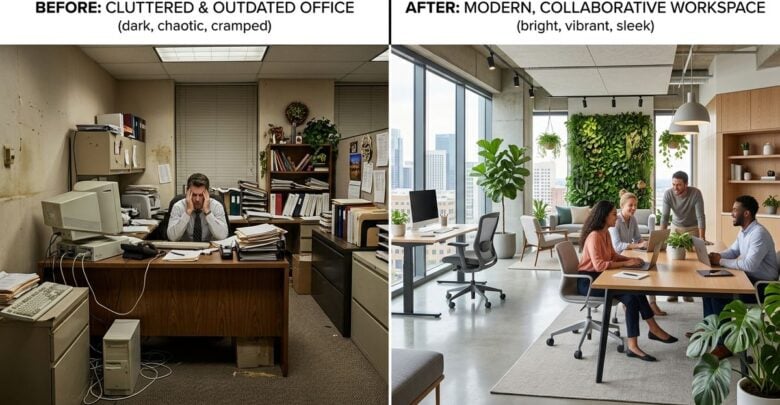
Most small offices still run on a mix of paper and screens. A printer hums in the corner, forms are signed in ink, and invoices are emailed as attachments. Some managers want to reduce the paper stack entirely, while others believe a printed page is still the quickest route to a clear decision. Both views have merit. This article compares a printer-and-scanner workflow with a fully digital approach and explains how a small team can choose a balance that fits its work.
Keeping Printers and Paper Forms
A printer and a basic scanner remain useful tools for many offices. Clients who prefer paper can receive a printed copy, staff can mark up a draft with a pen, and a signed form can be kept as an original document. The equipment is familiar to most employees, so training is short. A printed page also avoids the risk that a file will be opened on an unfamiliar device that lacks the right fonts or layout.
Paper workflows carry their own costs. Toner, paper and service contracts add up each month, and a busy printer can become a bottleneck when several people need it at once. Forms that are printed, signed and refiled take time that a digital form could save. Readers may also want to visit newsupdatesnow.com.
Scanning and Filing Digital Copies
Scanning turns paper into searchable files. A signed contract can be scanned, named clearly and stored in a shared folder, where the right person can find it in seconds. Scanned copies make it easier to send documents to clients and to keep backups in a second location. Many offices use a simple naming pattern based on client name, document type and date, which keeps the archive tidy as it grows. Staff can then find a contract in seconds rather than searching through several inboxes.
Fully digital workflows go further by removing the need to print at all. Forms can be completed on a tablet or computer, approvals can be given by message, and invoices can be sent directly from accounting tools. You can also visit Matthew Bourne for more reading.
Costs, Supplies and Security
A printing workflow carries security concerns as well. A printed page left on a shared tray can expose client details to anyone who walks past, and a machine with stored jobs may keep copies longer than expected. For a related read on this site, see Writing Email Subject Lines That Local Customers Open.
Digital systems raise their own questions. Accounts need strong passwords and two-step sign-in, shared links should expire when they are no longer needed, and staff must know how to report a lost device. Both approaches demand clear rules about who can see which records, and both benefit from a simple written policy that everyone reads once and remembers. Simple reminders, such as a laminated note by the printer and a short line in the onboarding notes, make good habits easy to follow. Staff who know the rules rarely need to ask.
Building a Workflow That Fits the Team
Most small offices find that a hybrid workflow works best. Keep a printer for signed originals and for clients who need paper, and move everyday forms, approvals and invoices into a digital process. Decide which documents must be printed, which can be scanned and which should never leave the screen. Clear categories prevent the confusion of wondering whether a draft should be printed or emailed. Assign one person to check the shared folder and the printer tray each week, so that loose papers and stray files do not pile up unnoticed. Naming and tagging files consistently is a small discipline that pays back every time someone searches for a document.
Test the new arrangement with one project before rolling it out widely. Watch how long each step takes, ask staff where they hesitate and adjust the rules as needed. Review the workflow every year, because the team, the clients and the equipment will all change. A workflow that the team understands and uses willingly is worth far more than a perfect system on paper. Keep a simple record of which forms moved to digital use and which still need paper, and share the list with the team every quarter.
Printers and scanners still have a place in a modern office, and fully digital processes offer speed and reach. The strongest approach is usually a balance that keeps originals safe, removes unnecessary printing and protects client details. Choose the mix that matches the team’s habits, review it often and let the workflow serve the people who depend on it every day. A mix that the team understands and respects will serve clients well for many years, even as the tools around it change. That steady confidence is worth protecting. Good habits keep the whole office moving calmly.


